For $REASONS I decided to cancel my 1Password subscription. It renewed in February so I have time to get comfortable with another password manager (I won’t lose access until the end of my current subscription) but I think I’ve already found it.
I’ve known Remy Bertot since the first Open Source Founders Summit back in May of 2024. He founded a company called Passbolt that builds an open source password manager (among other features). Back in May I added a “to do” reminder that I really needed to check it out. Recent events made me find the time.
I was kind of hoping to just pay someone to manage my passwords, like I did with 1Password, but it looks like the Passbolt company aims their offerings at businesses (the products I saw all had a minimum of ten users). I mean, I get it, managing consumer accounts can be a hassle, but no worries, since they provide an open source edition at no cost - you just need a server.
I probably should have just used Docker, but I’m old school, so instead I tried to use the installation instructions on my existing Nextcloud server (I figured the overhead would be minimal). Unfortunately the installation script really, really wants to be on a clean server (it looks to see if PHP is installed and, if so, aborts). No biggie, I just downloaded the latest Ubuntu Server LTS edition, spun up a VM, chose minimal install, and followed the instructions.
The rest of the install went smoothly. I knew I wanted to proxy it behind my main web server so I just put the IP address in for the domain name, and while the install script forces you to generate certificates, the default is to allow non-encrypted connections, thus the proxy worked without any heroic effort. I did have to update the proxy domain in /etc/passbolt/passbolt.php for the fullBaseUrl variable (including the trailing slash).
Oh, the default install uses nginx, and I kept getting the default screen when connecting. I went into /etc/nginx/sites-available/ and removed the entry for default and it started working.
You will also need a working email server/relay. I’m not sure why, but the initial login requires you to get a link via email to authenticate.
I ran into an issue where I forgot my newly generated passphrase. For some reason, Passbolt does not require you to type it in twice to verify, and I guess I screwed something up. They do force you to download a “recovery kit” but I was lazy and didn’t want to figure out how to restore it so I just purged the package and reinstalled it (grin), making sure to remember my passphrase the second time.
The next thing was to get my 1000+ passwords into Passbolt, but that just required a CVS export from 1Password and an import into Passbolt.
I’ve only be using it for about an hour but it works fine. It isn’t as intuitive as 1Password was - there are times when I need to search and manually select the requested password - but for the most part it just works. I have the extension installed in Safari and the app installed on my iPhone.
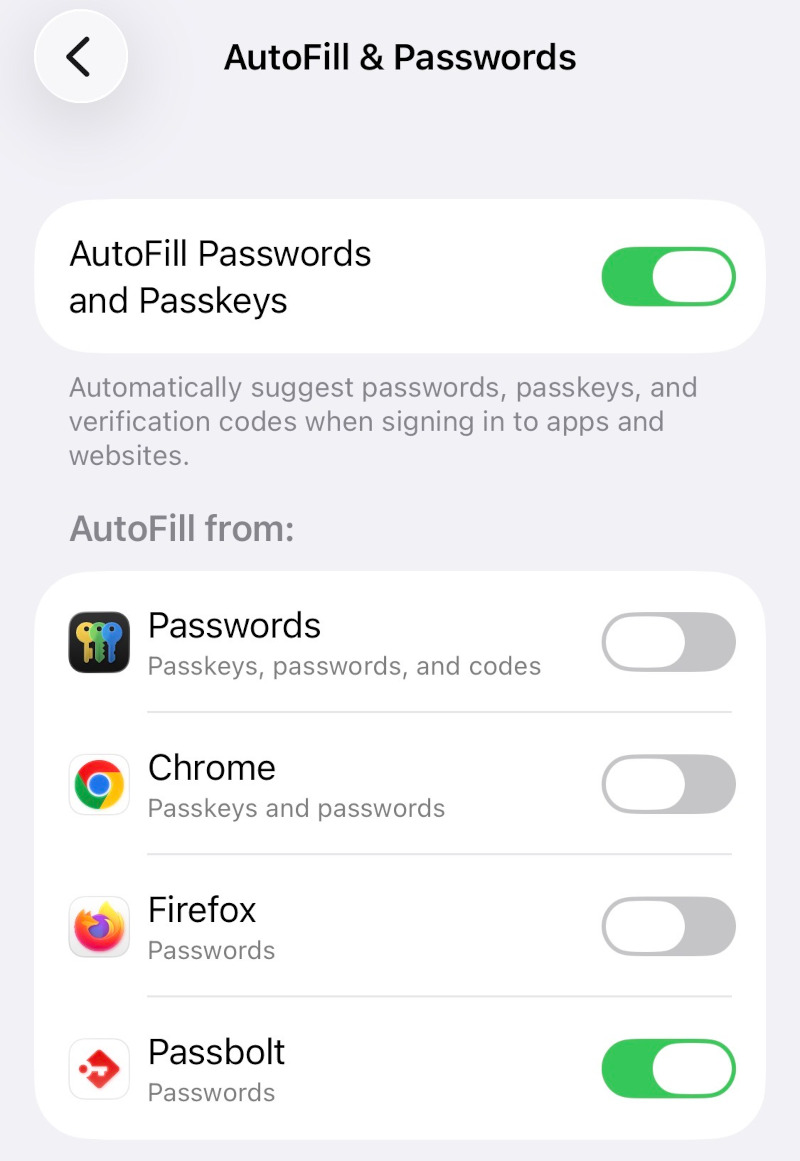
The iPhone install is easy as well. Once you get the app from the App Store, you go to your profile via the browser and there is an option to connect mobile devices with a QR code. Once you enable it as the default password autofill in settings, it works just like you would expect.
So hats off to Remy and the team for making such a cool product. I encourage everyone who is looking to self-host a password manager to check it out.